Change orders.
Signed before you leave the job site.

ScopeProof is the change order app for contractors. Price the extra work, capture the customer's signature on your iPhone, and send a branded PDF — in under a minute. No subscription. Ever.
  • Free to start
  • Pay once — $9.99, no subscription
  • Works offline
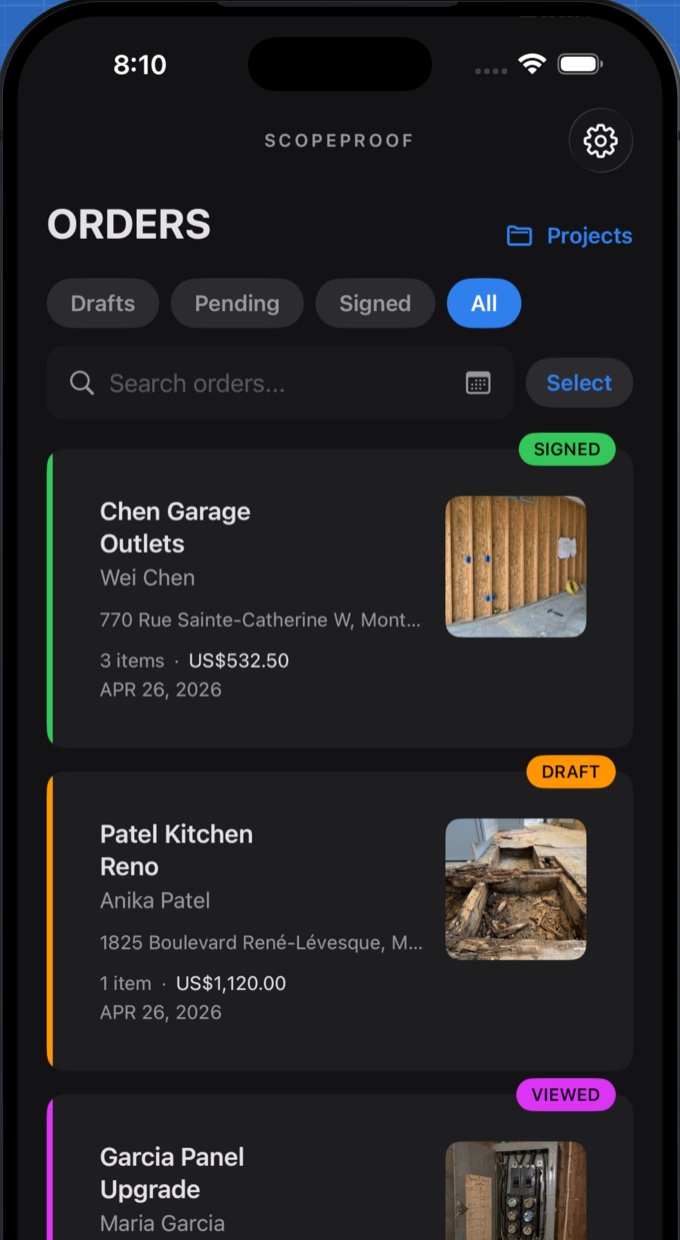
ScopeProof change order app on iPhone showing a list of signed, draft, and viewed change orders
< 60 secondsfrom “that’s extra” to a signed change order
$9.99 oncePro unlocks everything — no monthly fee, no per-document fee
100% offlinecreate, price, and sign with no signal — basement or crawl space
Screenshots

Built for the truck, not the office

Everything happens on your phone, in front of the customer, while the extra work is still fresh.
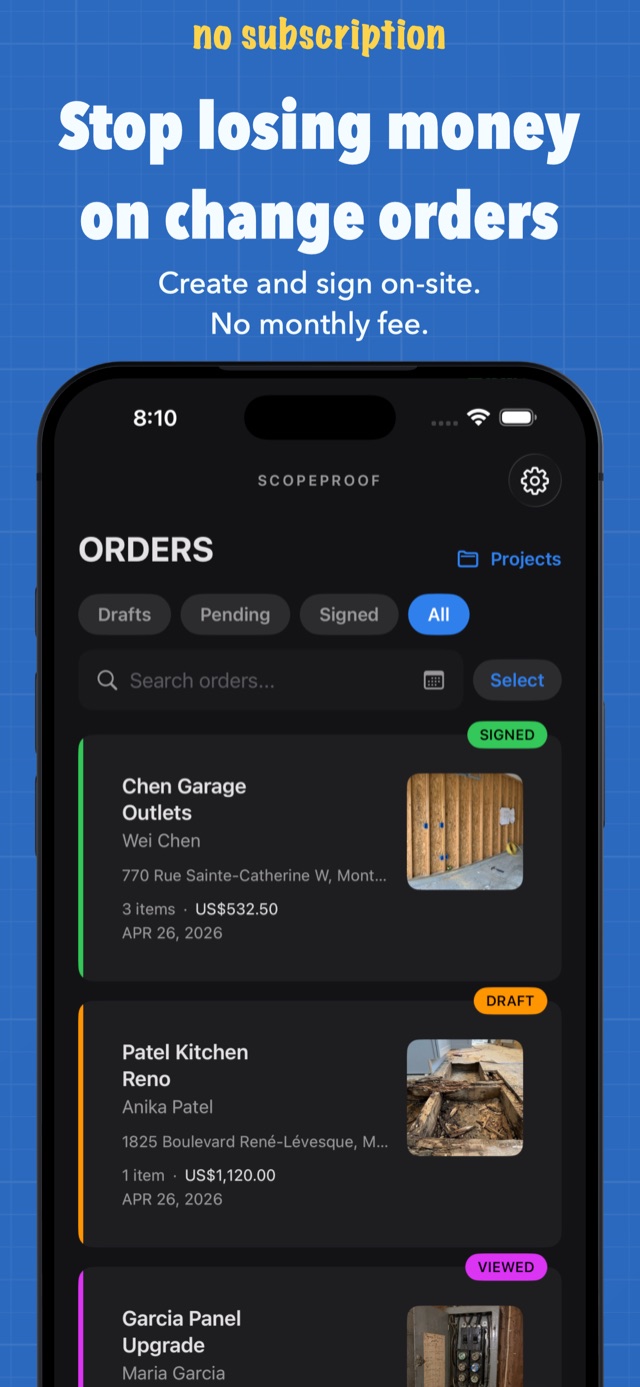
Change order app for contractors — orders list on iPhone with signed, draft, and viewed statuses
All your change orders, one list
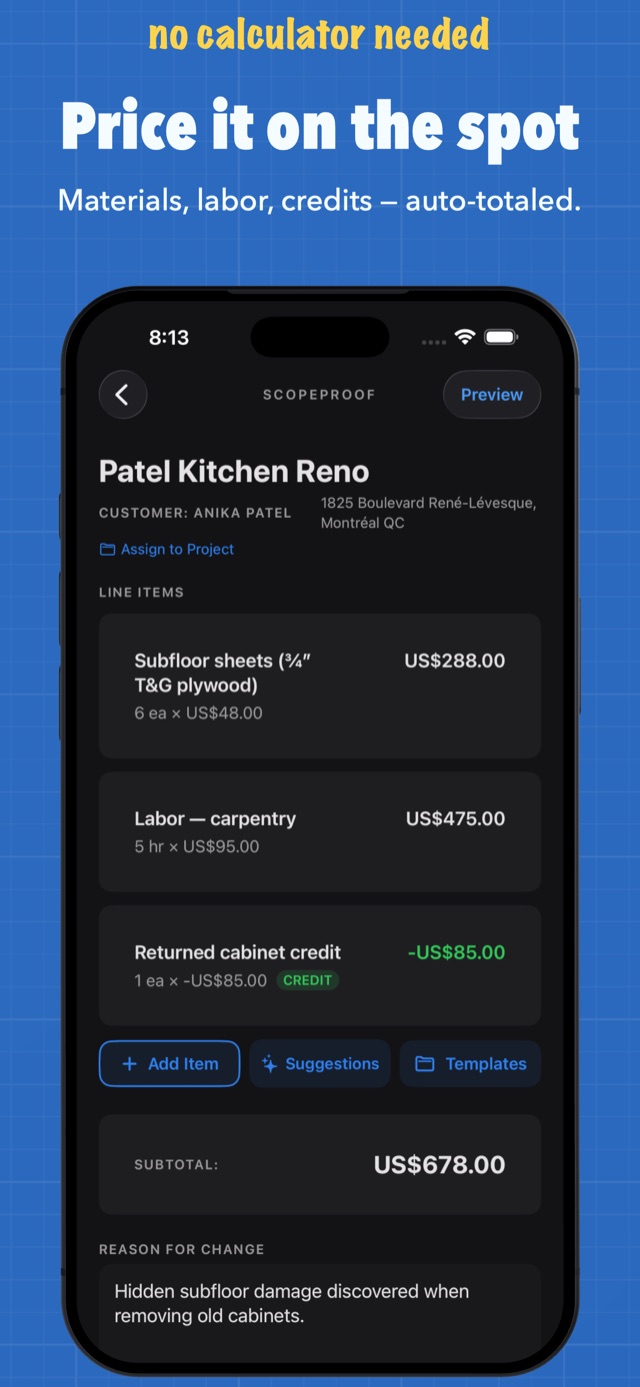
Change order line item editor with materials, labor, and credits auto-totaled
Price it on the spot
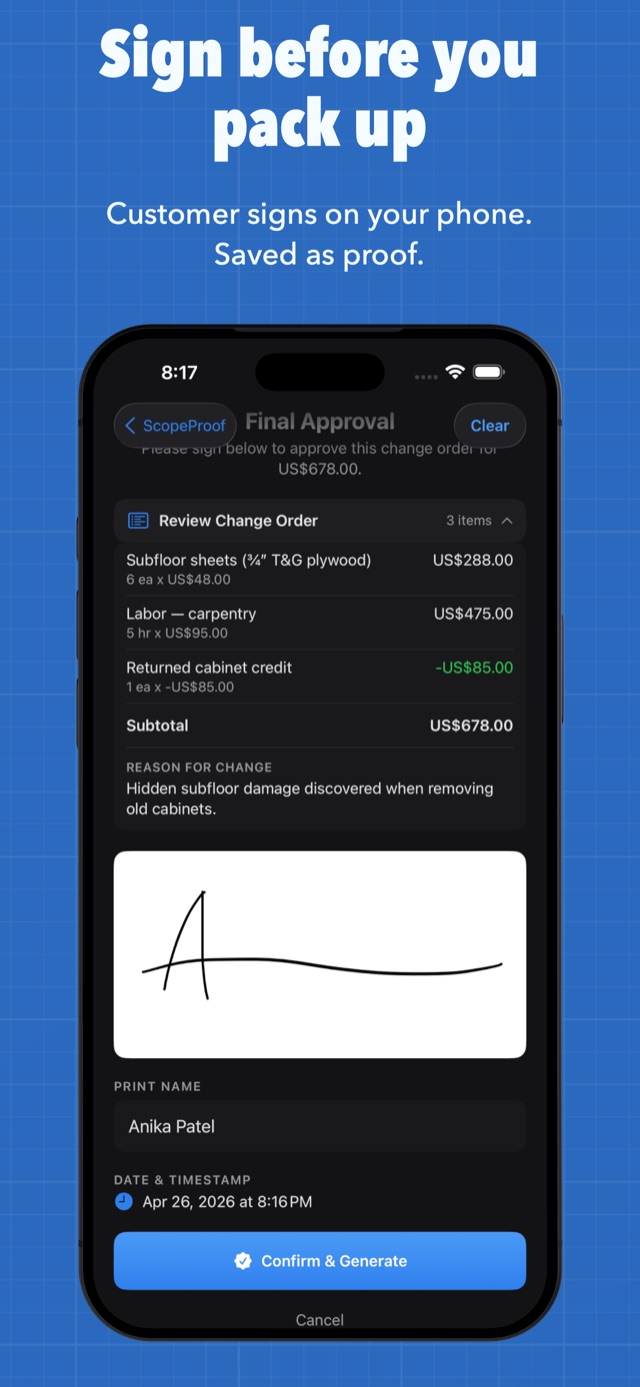
Customer signing a change order on the contractor's iPhone at the job site
Sign before you pack up
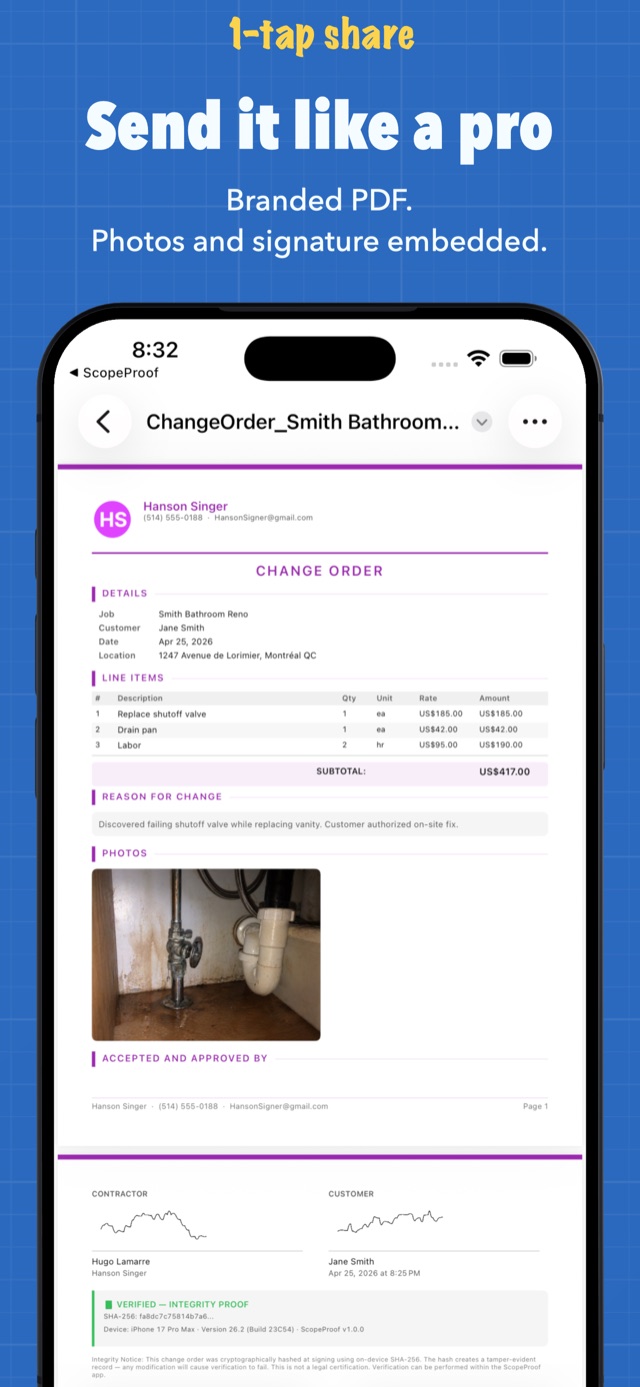
Branded change order PDF with line items, photos, and signatures embedded
Branded PDF, one tap to share
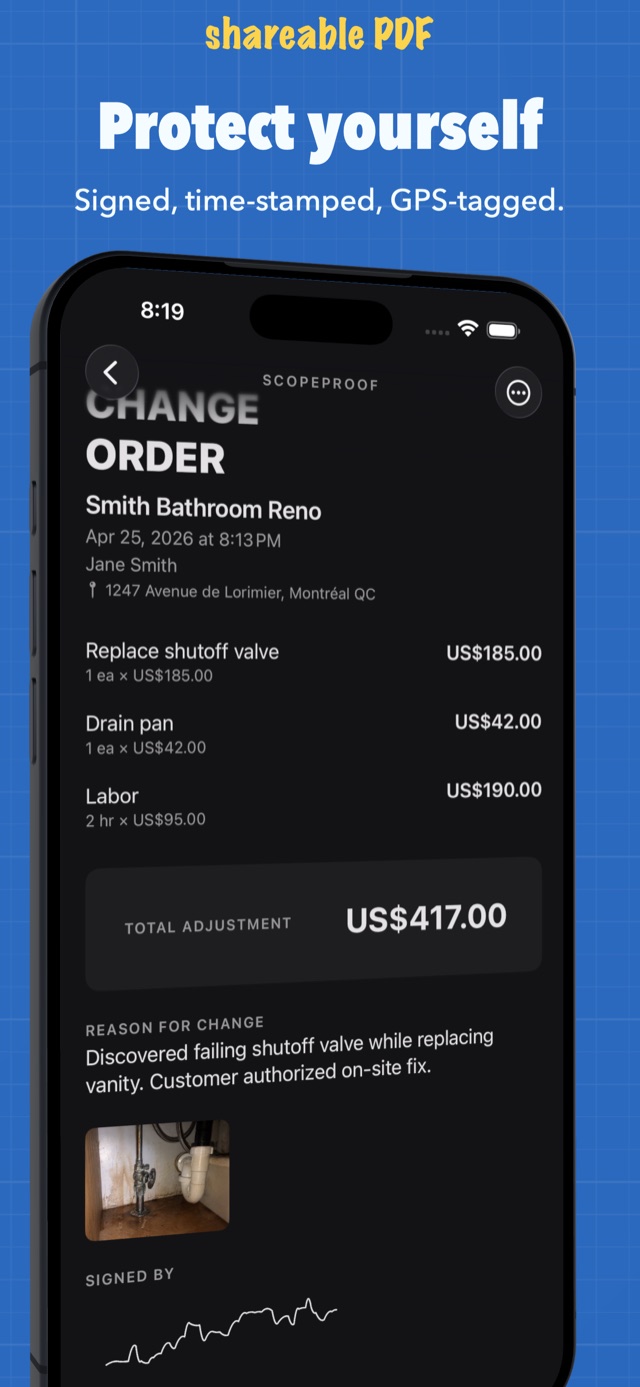
Signed change order with GPS location and timestamp for proof
Time-stamped and GPS-tagged
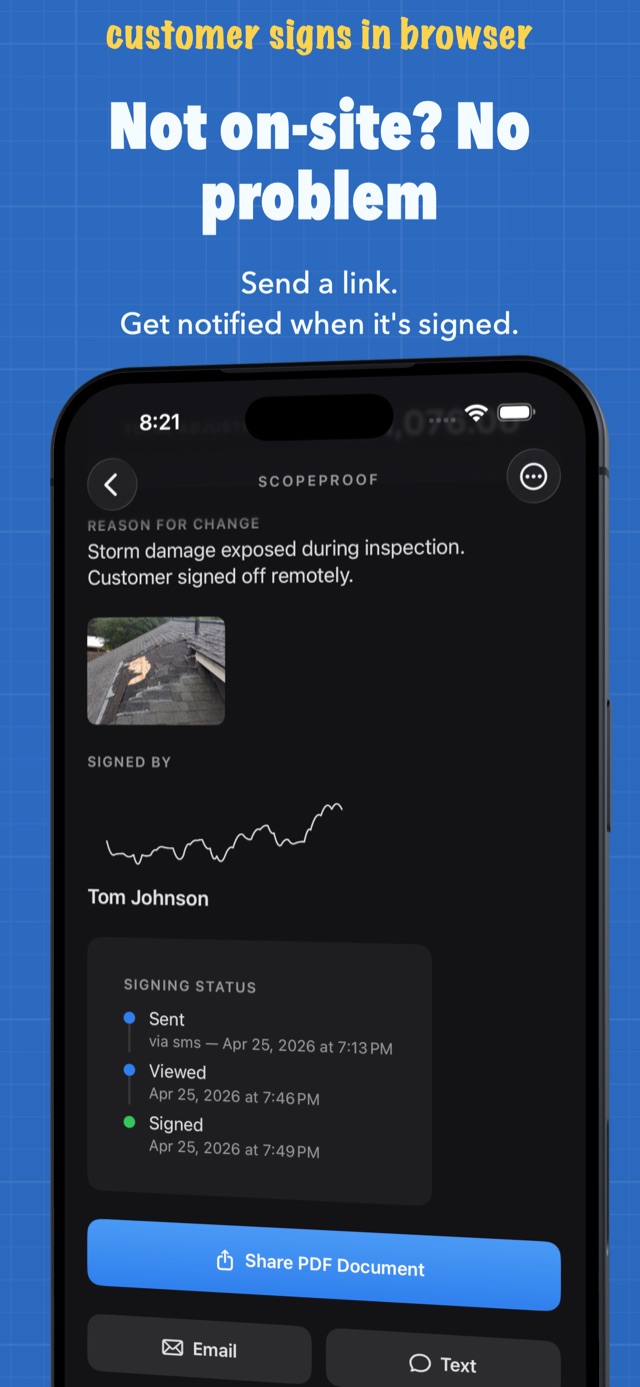
Remote change order signing status showing sent, viewed, and signed timeline
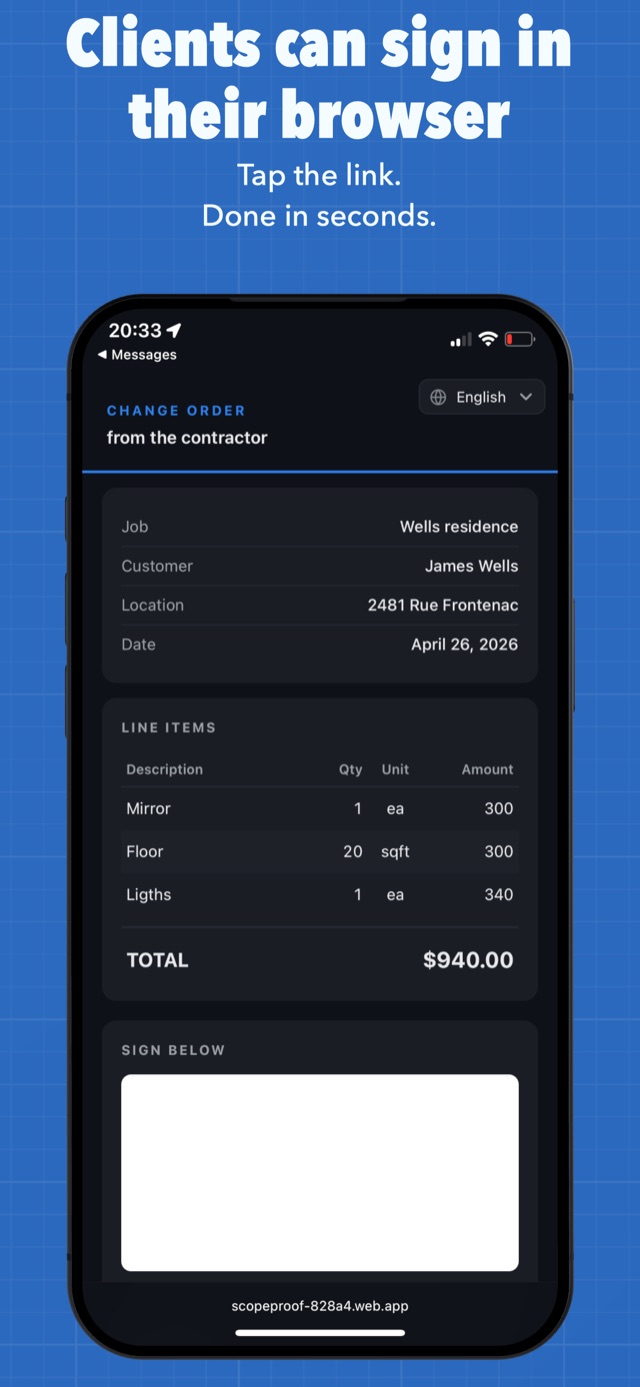
Send a link, track the status
Customer signing a change order in their web browser from a secure link
Clients sign in their browser
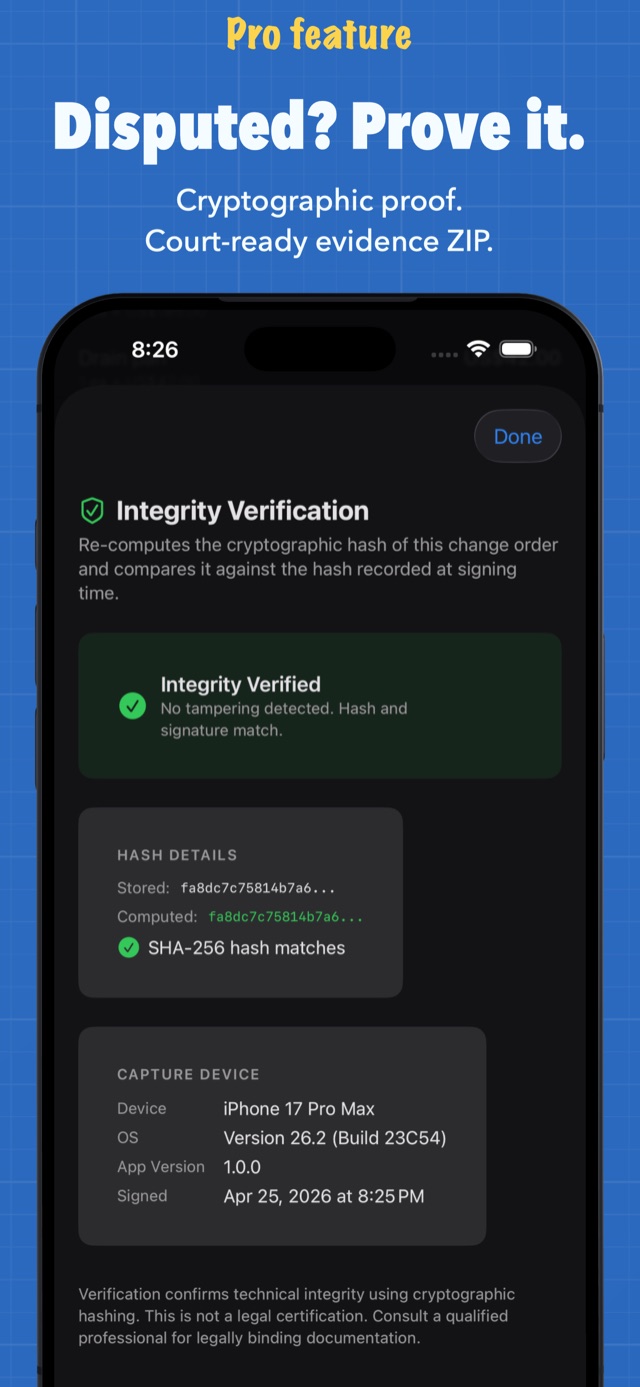
Dispute-proof integrity verification with SHA-256 cryptographic hash match
Disputed? Prove it.
How it works

From “that’s extra” to signed in three steps

The customer asks for more, or you find hidden damage. Here’s the whole workflow.

Step 1 — add line items for materials, labor, and credits with automatic totals

Price it

Add materials, labor, and credits as line items. Quantity × price — totals calculate instantly. Attach a photo of the problem.

Step 2 — customer reviews the change order and signs on the contractor's phone

Get it signed

Hand your phone to the customer. They review every line item and sign with a finger — name, date, and time recorded.

Step 3 — share the branded change order PDF by email or text

Send the PDF

A clean, branded PDF with photos and signatures embedded — emailed or texted to the customer before you leave the driveway.

Guides

Change orders, explained

Short, practical guides for contractors — what change orders are, how to write them, and how to stop losing money on them.

Basics

What is a change order in construction?

The definition, why they exist, and what happens when you skip them.

Read the guide →
Basics

How to write a change order (with example)

Every field a valid change order needs, with a filled-in example.

Read the guide →
Templates

Change order template — and a faster way

What a good template contains, and why an app beats a PDF in the field.

Read the guide →
Getting paid

How to get a change order signed on the spot

The on-site approval script that stops “I’ll look at it later.”

Read the guide →
Getting paid

How to get a change order signed remotely

Customer not on-site? Send a secure link they can sign in their browser.

Read the guide →
Disputes

Customer won’t pay for extra work?

What you can do after the fact — and how to never be there again.

Read the guide →
Legal

Are e-signatures on change orders legally binding?

ESIGN, UETA, and what makes a digital signature hold up.

Read the guide →
Pricing

A change order app without the subscription

Why field apps went subscription — and what $9.99 once gets you instead.

Read the guide →
Trades

Change orders for plumbers

Hidden corrosion, failed shutoffs, code surprises — pricing them on-site.

Read the guide →
Trades

Change orders for electricians

Panel upgrades, aluminum wiring, code corrections — get sign-off first.

Read the guide →
Trades

Change orders for HVAC contractors

Duct surprises, refrigerant line runs, electrical upgrades — document the extras.

Read the guide →
Trades

Change orders for roofers

Rotten decking is the classic change order. Photograph it, price it, sign it.

Read the guide →
FAQ

Frequently asked questions

What is a change order in construction?
A change order is a written amendment to a construction contract that documents a change in scope, price, or schedule after work has started. It lists the added or removed work and its cost, and it’s signed by both the contractor and the customer — making the change legally part of the contract. Learn more →
How do I write a change order?
You need the project and customer details, a clear description of the changed work, line items with quantities and prices, the new total, the reason for the change, the date, and both signatures. ScopeProof builds all of that automatically as you add line items. Learn more →
Is there a free change order template?
Yes — but a fill-in-the-blank PDF still means printing, doing math by hand, and chasing signatures afterwards. ScopeProof works like a smart template on your iPhone: totals calculate instantly and the signed PDF generates on the spot. Free for up to 3 active change orders. Learn more →
Are electronic signatures on change orders legally binding?
Yes. The US ESIGN Act and UETA give e-signatures the same legal standing as ink, and Canada and most other countries have equivalent laws. ScopeProof records the signer’s name, date, and timestamp with every signature. Learn more →
How do I get a customer to sign a change order on the job site?
Price the change while you’re standing in front of them, then hand over your phone. They review the line items, sign with a finger, and you both get a PDF copy — before you pack up. Learn more →
Can my customer sign a change order remotely?
Yes. ScopeProof Pro sends a secure, end-to-end-encrypted signing link by email or text. The customer opens it in any browser — no app, no account — and signs. You get a push notification the moment it’s done. Learn more →
What if a customer refuses to pay for extra work?
Documentation is your leverage. A signed change order with photos, GPS, and timestamps usually ends the argument before it starts — and ScopeProof’s dispute-proof mode can prove the document was never altered after signing. Learn more →
How much does ScopeProof cost?
Free for up to 3 active change orders (3 line items and 1 photo each, 2 projects). Pro is a one-time $9.99 purchase — unlimited everything, remote signing, your logo on PDFs, dispute-proof mode, QuickBooks export. No subscription, ever. Learn more →
Does ScopeProof work offline?
Yes — ScopeProof is offline-first. Creating, pricing, signing, and generating PDFs all work with zero signal, in the basement or off the grid. Only remote-link signing needs a connection. Get the app →
Which trades is ScopeProof built for?
Contractors who price extra work in the field: construction, plumbing, electrical, HVAC, roofing, painting, renovation, and handyman work.

Stop losing money on change orders

Create it. Get it signed. Send the PDF. All from your phone, before you leave the job site.

Download on the App Store
QR code linking to ScopeProof on the App Store

Free download · iPhone & iPad · iOS 17+ · Optional Pro upgrade $9.99 once — no subscription